
Street photography consent: take vs publish in the UAE
Street photography consent in the UAE: a five-question check, how to ask in English and Arabic, take vs publish, anonymising and deletion requests.
Key takeaways
- If a person is identifiable, a child is in the shot, a screen is readable, or someone is in a vulnerable moment, ask first or skip it.
- Consent to take a photo isn't consent to publish it, so name where it will go, such as your Instagram, and ask again if the use changes later.
- The UAE Public Prosecution lists taking photos of others without consent among privacy offences under Article 44 of Federal Decree-Law No. 34 of 2021.
- Blurring only anonymises if nobody could still recognise the person, so check at full size and strip location data from the file too.
- When someone asks you to delete, delete the photo in front of them and remove any copies on your phone, cloud folders or social media.
A stranger's phone screen fills the frame, and street photographers are arguing again. This week a widely shared post on X brought back Jeff Mermelstein, a New York photographer who has been shooting the city's street life since the early 1980s, according to The New Yorker. In October 2017 he began photographing strangers' phone screens with his iPhone, and the results became #nyc, a 160-page photobook published by MACK in July 2020.
The Guardian reported that in pretty much every case he did not ask permission to shoot a subject's screen, and that he took care to obscure any identifying information. Asked by The New Yorker about capturing private thoughts without consent, he said, "Voyeuristic isn't the same as harmful." Some people on X see the project as a sharp record of modern city life. Others see it as a plain invasion of privacy. Both are opinions. This article doesn't try to settle them.
What does street photography consent look like in practice, before, during and after the shot? This short guide for shooters in the UAE covers a check before you shoot, how to ask, the difference between permission to take and permission to publish, anonymising in the edit, and what to do when someone asks you to delete.
Street photography consent, from shot to share
One line on the law: the UAE Public Prosecution lists taking photos of others without consent among privacy offences under Article 44 of Federal Decree-Law No. 34 of 2021, and our guide to UAE photography laws explains what that means for you.
Before you shoot: a five-question check
Street moments are fast, so the check has to be faster. If any answer is "yes", ask first or skip the shot.
- Is the person identifiable? A clear face, a distinctive outfit, a name badge or a car plate can all point to one real person. A silhouette, a back or a hand usually can't.
- Is there a screen or document in the frame? Phones, laptops, tickets, receipts and ID cards carry private information. This is the point the Mermelstein debate turns on. If you'd be uncomfortable with a stranger reading your own screen, treat theirs the same way.
- Is there a child in the shot? Ask a parent or guardian, every time. A smile from the child isn't consent.
- Is the person vulnerable or in a private moment? Someone unwell, upset, praying, or dealing with an accident or emergency deserves your restraint.
- Would you be happy to show them this frame right now? If the honest answer is no, you already know what to do.
The check sorts frames into three piles: fine as it is, fine with a quick question, and not worth it.
How to ask: short lines in English and Arabic
Asking feels awkward the first few times. Then it becomes part of the craft. Keep it short, smile, keep the camera lowered while you talk, and make "no" an easy answer. If they say no, thank them and move on without a second try.
English lines that work:
- "Hi, I'm a photographer. May I take your photo?"
- "I like this moment. Is it okay if I take one picture?"
- "Would you mind if I share it on my Instagram? If not, I'll keep it private."
- "No problem at all, thank you."
Simple Arabic lines. These are short and widely understood. Gulf speakers often use the casual form; the formal Modern Standard Arabic version is a safe, polite choice with anyone.
| Meaning | Arabic | Transliteration |
|---|---|---|
| May I photograph you? (casual, Gulf-friendly, to a man) | ممكن أصورك؟ | mumkin asawwirak? |
| May I photograph you? (casual, Emirati, to a woman) | ممكن أصورج؟ | mumkin asawwirich? |
| Do you allow me to take a photo of you? (formal, to a man) | هل تسمح لي أن ألتقط لك صورة؟ | hal tasmah li an altaqit laka soora? |
| Do you allow me to take a photo of you? (formal, to a woman) | هل تسمحين لي أن ألتقط لكِ صورة؟ | hal tasmaheen li an altaqit laki soora? |
| I won't publish it. | لن أنشرها. | lan anshuraha. |
| I'll delete it now. | سأحذفها الآن. | sa-ahdhifuha al-aan. |
| No problem, thank you. | لا بأس، شكراً. | la ba's, shukran. |
Point to the camera so the question is obvious, and if you can't make yourself understood, take that as a no.
Consent to take vs consent to publish
This is where most consent problems start. A person who says "sure" to a quick photo has agreed to one thing: you taking it. They haven't automatically agreed to your Instagram, a competition entry, a client site or a printed zine.
Think of it as two separate questions:
| Question | What a "yes" covers | What it doesn't cover |
|---|---|---|
| Consent to take | You pressing the shutter and keeping the file | Sharing it anywhere |
| Consent to publish | The specific places you named, such as your Instagram or portfolio | New uses you didn't mention, like paid or commercial use |
In practice:
- Name the use when you ask. "Can I post this on my Instagram?" is clearer than "Can I use it?"
- Offer to send them the photo. It's kind, and it gives you a way to confirm later.
- Keep a simple record. A short message from them saying yes to the use you described is easier to rely on than a memory of a nod.
- Re-ask if the use changes. A portfolio shot that later goes into a competition or a sponsored post is a new question.
- Know when it's no longer "street". If you start directing people, hiring talent or shooting for a brand, you've moved into production territory. Our guide to filming permits in Dubai and Abu Dhabi covers when that applies.
Busy, well-known places don't change any of this. The people walking through the scenes in our most photogenic spots in the UAE didn't sign up to be in your feed just by being there.
Anonymising in the edit
Sometimes you get a frame you love and couldn't ask in time. If you don't have consent to publish, anonymising is how you keep the moment without exposing the person. It isn't a loophole. If you can still tell who it is, it isn't anonymous.
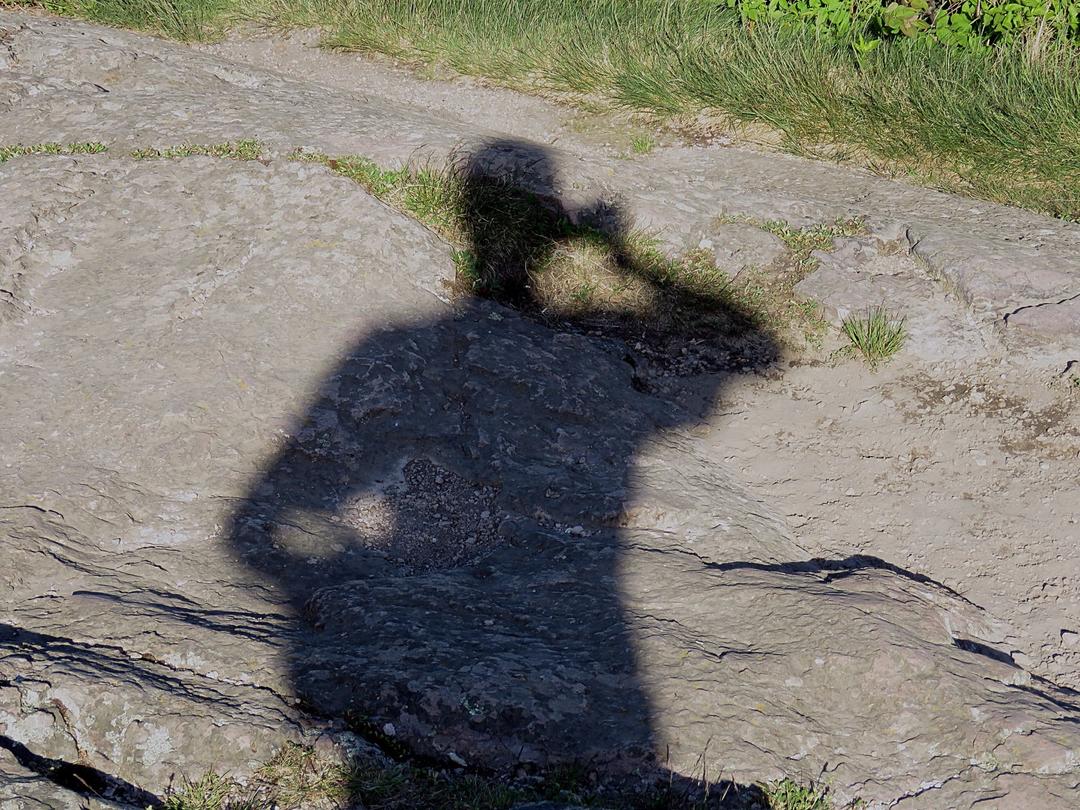
A shadow, a back or a hand usually can't identify anyone. Photo: Prosthetic Head / Wikimedia Commons, CC BY-SA 4.0.
- Crop first. Crop to hands, shadows, a back or a gesture. A tighter frame can make a better picture anyway.
- Blur or pixelate faces properly. Make the effect strong enough that you can't recognise the person at full size. Check at 100% zoom, not on a small preview.
- Treat screens and documents the same way. Blur any readable text on phones, tickets, receipts or ID cards. Mermelstein's own approach, as The Guardian describes it, was to obscure identifying information; if you show a screen at all, do at least that.
- Look for the small giveaways. Name badges, car plates, distinctive tattoos, school uniforms and house numbers can identify someone even when the face is hidden.
- Strip location data before you share. Photos can carry GPS coordinates in their metadata. In Lightroom Classic, the Export dialog has a Remove Location Info option in the Metadata panel that removes GPS metadata from the exported file (not available for DNG). Do this for any frame where the location could point to someone's home, workplace or routine.
On the Sony ZV-E10, the help guide explains that with Location Info. Link set to On, the camera records location information from your paired smartphone via Imaging Edge Mobile. On candid days, leaving it off means one less thing to strip later.
Can I publish this street photo?
Has the person asked you to delete the photo?
What to do when someone asks you to delete
This moment decides the impression you leave. Stay calm, don't argue, and delete the photo in front of them.
- Lower the camera and listen. Don't explain why it was a great shot.
- Show them the frame, then delete it while they watch.
- Delete every copy. If the camera has already sent the file to your phone or a cloud folder, delete it there too, and tell them you've done it.
- If it's already posted, take it down and let them know.
- Thank them and move on. A short "sorry, it's deleted" beats any debate about public space.
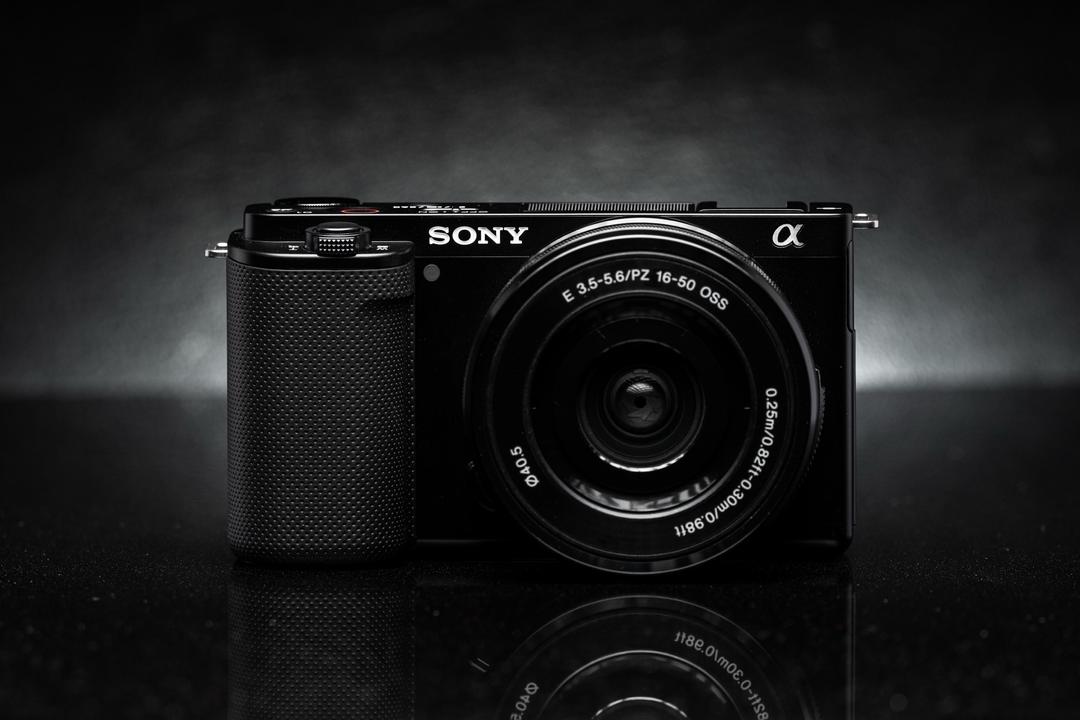
Sony ZV-E10: know the delete steps before you need them. Photo: Henry Söderlund / Wikimedia Commons, CC BY 2.0.
Know your camera's delete steps before you need them, because fumbling through menus looks like stalling. On the Sony ZV-E10, the help guide says to display the image, press the Delete button, then select Delete. It also notes that protected images can't be deleted, so a frame you guarded with Protect (MENU > Playback > Protect) needs unprotecting first. Practise once at home.
Sources
All accessed 9 Nov 2026.
- The New Yorker: The Photographer Peeking at Your Phone (interview with Jeff Mermelstein)
- The Guardian: Sex, lies and text messages: the photographer snapping New Yorkers' private thoughts (29 Jul 2020)
- MACK: #nyc by Jeff Mermelstein (publisher page: 160 pages, July 2020)
- WAM: Public Prosecution explains penalties for privacy infringement on internet (25 Jul 2022); same briefing reprinted by Gulf Today
- Adobe: Lightroom Classic: Export files to disk or CD (Metadata: Remove Location Info)
- Sony: ZV-E10 Help Guide: Location Info. Link Set.
- Sony: ZV-E10 Help Guide: Deleting a displayed image
- Sony: ZV-E10 Help Guide: Protecting images (Protect)
- X: @internetpreai post on Jeff Mermelstein (opinion and trend signal only)
- X: @SXR123 post raising the privacy objection (opinion only)
Frequently asked questions
Do I always need street photography consent before I shoot?
Run the quick check every time. If a person is identifiable, a child is in the shot, a screen is readable, or someone is in a vulnerable moment, ask first or skip it. For the legal side, see our UAE photography laws guide.
They said yes to the photo. Can I post it?
Only if they agreed to that use. Consent to take a photo isn't consent to publish it, so name where it will go, such as your Instagram, and ask again if the use changes later.
Is blurring a face enough to keep someone anonymous?
Only if nobody could still recognise the person. Check at full size, and look for other giveaways such as name badges, car plates, tattoos and readable screens. Strip location data from the file too.
Someone asked me to delete their photo. What now?
Delete it in front of them, show them it's gone, and remove any copies on your phone, cloud folders or social media. Don't argue.

About the editor
Wessel has worked in technology for more than 25 years and manages social media for some of the world's biggest brands. He knows which gear earns its place in a working creator's bag.
Related stories
Learning to See: Finding the Extraordinary in the UAE's Everyday Landscapes
A photographic eye has less to do with gear than with noticing what draws you in. One UAE location, five photographs, and how to find your own way of seeing.
How to photograph artwork and installations at Alserkal Art Week without glare, on until 22 November
How to photograph artwork at Alserkal Art Week in Dubai, on until 22 November: square-on paintings, glare, white balance, flash and installations.
Rain photography Dubai: how to photograph rain from cover, not a flooded road
Shoot rain photography Dubai safely from cover: wet-road reflections, shutter starting points, and official wadi and flood advice. Stay off flooded roads.